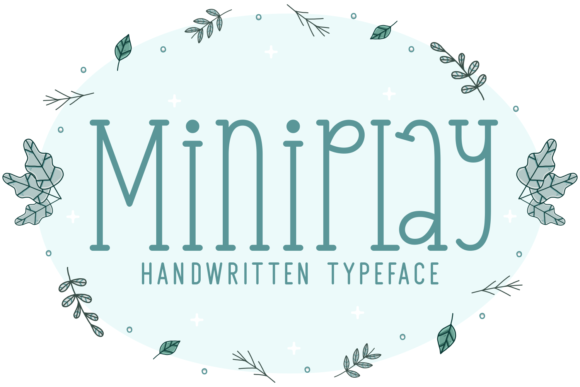
Miniplay: A Handwritten Font for Elegant Web Design
As a web designer, finding the right typeface can make or break your design. Miniplay, a delicate and elegant handwritten font, is a standout choice for adding a touch of sophistication and personality to your digital projects. Its well-rounded letters and versatile style make it an excellent addition to any design toolkit.
Visual Characteristics and Personality of Miniplay
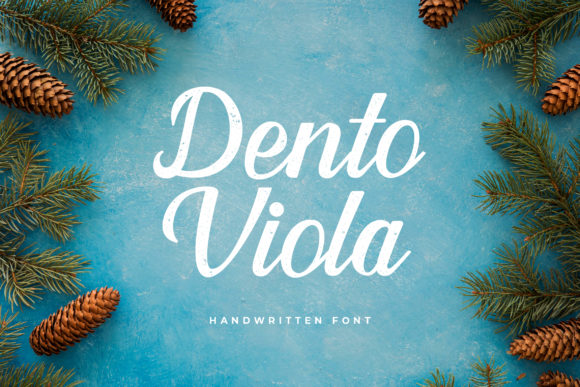
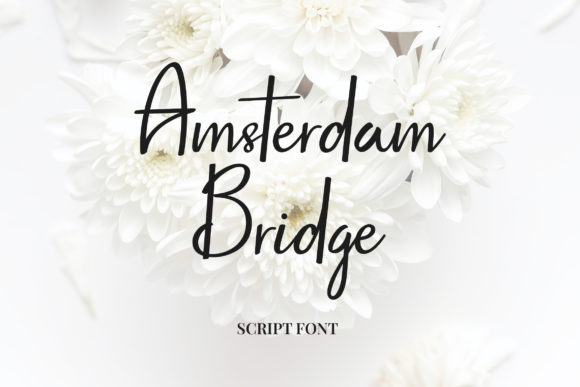
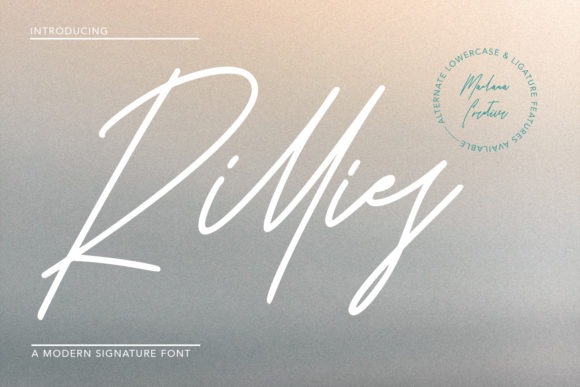
Miniplay's distinct, flowing lines and smooth curves give it a refined yet approachable feel. The font's natural, hand-drawn appearance adds a human touch to digital experiences, making it ideal for creating a warm and inviting atmosphere. Whether you're designing a creative portfolio, a boutique online store, or a coaching website, Miniplay can help set the right tone and enhance the overall aesthetic.
Using Miniplay in Web Design
One of the key strengths of Miniplay is its versatility. Here are some practical ways to incorporate this font into your web designs:
- Website Headers and Hero Sections: Use Miniplay for bold, eye-catching titles that grab attention and set the stage for the rest of the page. Its elegant style can create a memorable first impression and establish a strong visual hierarchy.
- Landing Pages and Call-to-Action Areas: Miniplay's readability and charm make it perfect for short, impactful phrases and buttons. It can help guide users through the conversion journey with a sense of elegance and professionalism.
- Online Shop Banners and Product Descriptions: Add a touch of luxury to your e-commerce site by using Miniplay for product names, category headings, and promotional banners. This can elevate the perceived value of your products and create a cohesive brand identity.
- Blog Graphics and Digital Ads: Miniplay's decorative nature makes it a great choice for blog headers, social media graphics, and digital advertisements. It can add a unique, artistic flair to your content and help it stand out in a crowded digital landscape.
Readability and Visual Hierarchy
While Miniplay is visually appealing, it's important to consider its impact on readability and user engagement. Here are some tips to ensure it enhances, rather than detracts from, the user experience:
- Use for Short Texts: Miniplay is best suited for short, impactful texts such as headlines, subheadings, and call-to-action buttons. For longer body text, pair it with a clean, simple sans serif font to maintain readability.
- Responsive Design: Test Miniplay on various screen sizes to ensure it remains legible and visually appealing. Adjust the font size and line height for mobile screens to maintain a comfortable reading experience.
- Color and Contrast: Use Miniplay on both light and dark backgrounds, but ensure there is enough contrast for easy reading. For image overlays, consider using a subtle shadow or outline to enhance legibility.
Font Pairing and Brand Identity
To create a balanced and professional look, pair Miniplay with complementary fonts. Here are some effective combinations:
- Sans Serif Fonts: Combine Miniplay with a clean, modern sans serif like Helvetica or Arial for a contemporary and professional feel. This pairing works well for corporate websites, SaaS platforms, and business blogs.
- Serif Fonts: For a more editorial and sophisticated look, pair Miniplay with a classic serif like Times New Roman or Georgia. This combination is ideal for lifestyle blogs, magazine websites, and high-end e-commerce sites.
- Script Fonts: If you want to emphasize the handwritten, personal touch, use Miniplay alongside a more casual script font. This can be particularly effective for wedding websites, personal portfolios, and artisanal online stores.
Practical Considerations for Using Miniplay
Before incorporating Miniplay into your projects, consider the following practical aspects:
- Included Styles and File Formats: Check if Miniplay comes with multiple styles (e.g., regular, bold, italic) and file formats (e.g., .otf, .ttf, .woff). This will ensure you have the flexibility to use it across different platforms and devices.
- Webfont Availability: Verify that Miniplay is available as a webfont. This is crucial for seamless integration into your website and ensuring fast loading times.
- Multilingual Support: If your project requires support for multiple languages, check if Miniplay includes the necessary character sets. This is especially important for international brands and global audiences.
- Commercial Licensing: Ensure you have the appropriate commercial license to use Miniplay in client projects, online stores, and other commercial applications. This is essential to avoid any legal issues and to support the creators of the font.
By thoughtfully integrating Miniplay into your web designs, you can create a visually stunning and engaging user experience. Its elegant and versatile style makes it a valuable asset for any digital creator looking to add a touch of sophistication and personality to their projects.